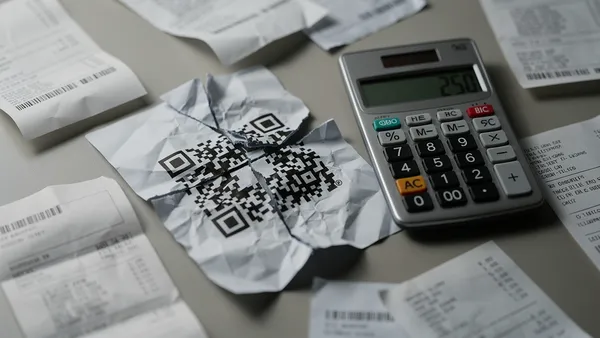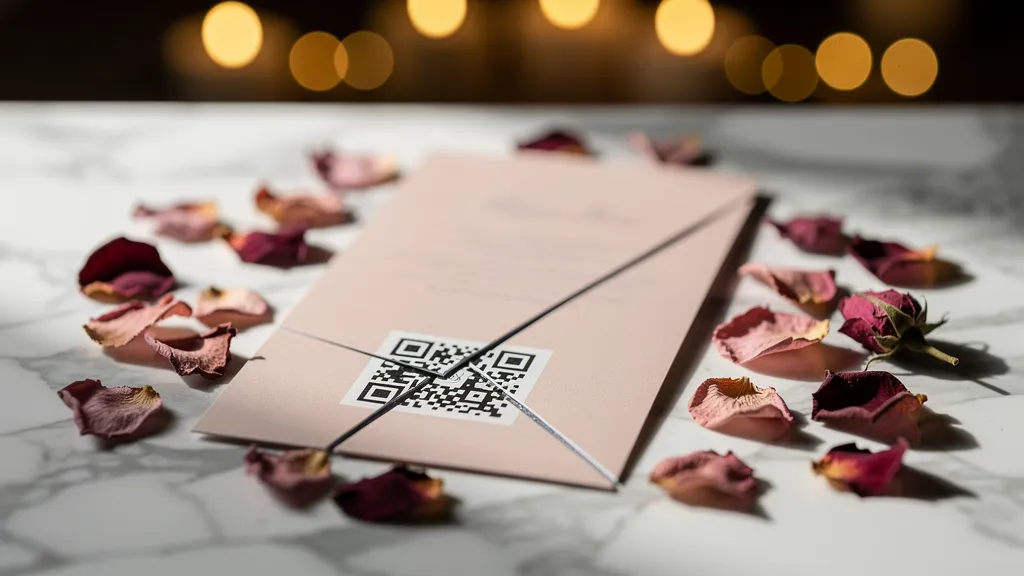
The nightmare scenario: 1,000 wedding invitations, a QR code linking to the RSVP form, and a 'free' generator that deleted the code after 30 days. This is what happened next.
The Perfect Plan
Emma and Thomas planned their Copenhagen wedding for 18 months. Every detail was considered, from the locally-sourced menu to the hand-picked playlist. For their invitations, they wanted something modern: a beautiful QR code that would take guests directly to their wedding website's RSVP page.
'It just seemed more elegant than typing a URL,' Emma told us. 'And environmentally friendly: no separate RSVP cards to mail back.'
They used a popular free QR code generator, created a code linking to their RSVP form, and sent it to their designer. The invitations were gorgeous: letterpress on cotton paper, each one costing about €4 to produce. 1,000 invitations total, including extras for keepsakes.
They mailed them 8 weeks before the wedding, as etiquette suggests.
The First Sign of Trouble
Six weeks before the wedding, Emma noticed something strange. They'd sent invitations to 400 guests, but only 47 had RSVPed. Her phone started ringing.
'I tried scanning your code, but it goes to some error page,' Emma's aunt reported. Similar messages trickled in from cousins, friends, colleagues.
Emma grabbed an invitation and scanned the code herself. Instead of her RSVP page, she saw: 'This QR code has expired. Create your own at [Generator Name].'
What Happened
The 'free' QR code generator had a 30-day active period for dynamic codes. After that, codes were deactivated unless users upgraded to a paid plan.
This was disclosed on page 4 of the terms of service, in paragraph 12, subsection (c), in language that required a law degree to parse. Emma, like most users, hadn't read it.
The generator offered to reactivate the code for €49/month. But that wouldn't fix the invitations already in guests' hands.
The Scramble
With 6 weeks until the wedding, Emma and Thomas faced impossible choices:
Option 1: Reprint all invitations
- Cost: €4,000+
- Time: 2-3 weeks production
- Would arrive only 3 weeks before the wedding
Option 2: Send separate RSVP cards
- Cost: €800+ for cards and postage
- Still requires guests to mail physical responses
- Defeats the purpose of going digital
Option 3: Email/call every guest individually
- Cost: Countless hours
- Awkward and stressful
- Some guests (especially older relatives) had no email on file
They chose a combination: emergency emails to guests with addresses on file, phone calls to older relatives, and a small batch of simple RSVP cards for guests they couldn't reach otherwise.
The Real Costs
Here's what that 'free' QR code actually cost:
Direct costs:
- Original invitations (now partially useless): €4,000
- Emergency RSVP cards and postage: €350
- Premium phone plan for international calls: €45
- The €49 they paid the generator trying to fix it: €49
- Subtotal: €4,444
Indirect costs:
- Approximately 40 hours of Emma's time during wedding crunch
- Thomas taking 2 days off work to help call guests
- Stress and arguments during what should be a joyful time
- The persistent anxiety that some guests never got the message
The outcome:
- 12 guests who thought they'd RSVPed (they'd tried but failed) almost didn't have seats
- 8 guests who never got any communication didn't attend
- The beautiful letterpress invitations became a source of embarrassment rather than pride
Why This Keeps Happening
Emma and Thomas's story is extreme, but the pattern is common. We've heard from:
- A funeral home that printed memorial service QR codes on programs, only to have them expire
- A restaurant that launched new menus the same week their codes died
- A real estate agent whose property flyers became useless mid-campaign
- A nonprofit whose fundraising gala invitations linked to an error page
The formula is always the same: 1. User needs a QR code 2. User searches 'free QR code generator' 3. User creates code without reading terms 4. User prints code on something permanent 5. Code expires or changes 6. Chaos ensues
The Warning Signs Emma Missed
Looking back, there were red flags she wishes she'd noticed:
No clear information about expiration
The homepage said 'Free QR codes' with no asterisk. Expiration was buried deep in legal text.
Required dynamic codes for the RSVP link
The generator pushed dynamic codes by default, even for simple URL links. Dynamic codes gave them control over the redirect.
No account verification
She could create codes without verifying her email. No verification = no way to warn her about expiration.
No visible support contact
When things went wrong, she found a chatbot and an FAQ. No email, no phone, no human.
What Wedding Planners Should Know
If you're planning a wedding (or any event with printed materials), here's how to avoid this nightmare:
1. Use Static QR Codes When Possible
Static codes encode the URL directly in the code pattern. There's no middleman server that can expire or change the destination. The tradeoff: you can't update where it goes after printing.
For wedding RSVPs, a static code works perfectly. The URL isn't going to change.
2. If You Need Dynamic Codes, Choose Carefully
Dynamic codes (where the QR links to a redirect server) are useful when you might need to change the destination. But they require trusting the provider to keep the redirect working.
Look for:
- Explicit 'codes never expire' policy
- Provider based in EU (GDPR protections)
- Account verification required
- Human support available
- Clear, upfront pricing
3. Test Before Printing
Create your code, wait 24 hours, scan it again. Check it from different devices. If possible, wait a week before sending final files to the printer.
4. Keep Records
Screenshot the QR code dashboard, the terms of service, and any promises made on the website. If things go wrong, you'll have evidence.
5. Have a Backup Plan
Include the actual URL somewhere on the invitation, even in small text. 'Can't scan? Visit ourwedding.com/rsvp' saves the day if the code fails.
How Quality QR Prevents This
We built Quality QR specifically to prevent stories like Emma's. Here's how:
Codes Never Expire
Period. Not after 14 days, not after 30 days, not ever. Free tier codes work forever. Even if you cancel a paid account, your codes keep working.
Why we can promise this: Our business model is based on users who need more codes or advanced features upgrading by choice, not by coercion. We don't need to hold your codes hostage.
Static Codes for Simple Use Cases
If you just need a QR code that links to a URL and never changes, we recommend a static code. It's free, it works forever, and there's no redirect server involved: the URL is encoded directly in the pattern.
Clear, Honest Pricing
Free tier:
- 1 dynamic QR code with scan analytics
- 5 static QR codes
- All QR types (URL, vCard, WiFi, etc.)
- No watermarks
- Never expires
Pro (€5/month):
- 10 dynamic codes
- Custom branding (logos, patterns, colors)
- Design templates & QR bundles
- A/B testing
- API access (1,000 requests/month)
Business (€10/month):
- 100 dynamic codes
- Everything in Pro
- Bulk creation tools
- Custom domains
- Team collaboration (5 seats)
- API access (10,000 requests/month)
No asterisks. No hidden expiration. No 'gotcha' buried in paragraph 12.
Account Verification
- We verify accounts. This means:
- We can contact you if there's ever an issue
- No anonymous scam codes on our platform
- Better security for everyone
Human Support
Real people answer support emails. Not chatbots, not knowledge base loops. If something goes wrong, you can reach us.
EU-Based, GDPR-Compliant
We're based in Estonia, in the European Union. GDPR isn't an add-on feature for us. It's the law we follow by default. You have real legal protections for your data and rights.
Emma's Advice
We asked Emma what she'd tell other couples. Her response:
> 'Spend the €5/month. Or use a free service that actually has 'never expires' written clearly somewhere. The money you save isn't worth the stress when it goes wrong. And for something as important as your wedding, trust matters more than price.'
She's right. A year of Quality QR Pro costs €48 with annual billing (or €5/month). Emma's 'free' QR code cost €4,444 and countless hours of stress.
The Wedding Industry Should Know Better
Wedding vendors (stationers, planners, venues) should be warning couples about QR code reliability. A beautiful invitation is worthless if the technology on it fails.
- If you're a wedding professional, please:
- Recommend reliable QR code providers to your clients
- Suggest including backup URLs on printed materials
- Test QR codes before sending files to print
- Consider adding QR code reliability to your vendor vetting process
Don't Let This Be Your Story
Every QR code on a printed material is a promise: scan this, and something useful happens. Breaking that promise, whether for a wedding, a business, or a nonprofit, damages trust and costs real money.
Quality QR exists because we believe that promise should be kept. No expiration tricks, no hidden fees, no desperate upsells when you're already committed.
Create your first QR code free. It will still work on your 50th wedding anniversary.