Real estate QR codes connect physical marketing to digital property information instantly. Place them on yard signs for 24/7 property details, business cards for instant contact saving, flyers for virtual tour access, and open house materials for lead capture. Dynamic QR codes are essential—when a property sells, update the code to redirect to similar listings instead of showing 'sold' to interested buyers.
Why Real Estate Needs QR Codes
Real estate is uniquely positioned to benefit from QR codes because it bridges physical locations with digital information:
24/7 Property Access
Buyers driving by at 10 PM can scan a yard sign QR code and instantly view photos, pricing, virtual tours, and contact information—no waiting for business hours.
Instant Lead Capture
Every scan is a potential lead. Track which properties generate the most interest and follow up with engaged prospects.
Reduced Friction
No more typing long URLs or searching for listings. One scan takes buyers directly to complete property information.
Measurable Marketing
Know exactly how many people engaged with each yard sign, flyer, or advertisement. Compare performance across properties and marketing channels.
QR Code Applications for Real Estate
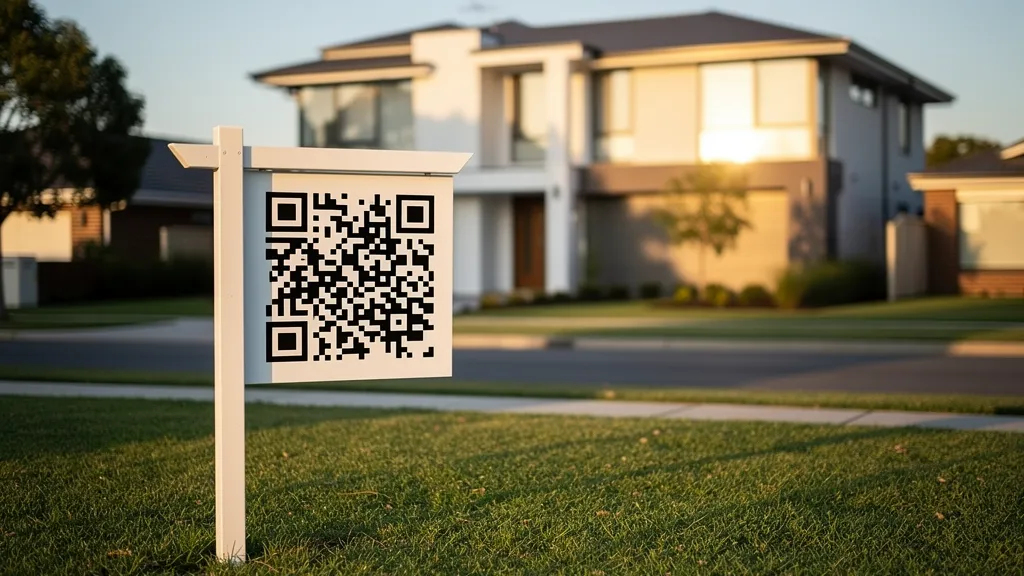
Yard Signs and For Sale Signs
The most impactful real estate QR code placement. Buyers physically at the property are highly motivated—make it easy for them to get information.
Best practices for yard sign QR codes:
- Size: Minimum 2 inches (5cm) for scanning from sidewalk distance
- Placement: Eye level, unobstructed by landscaping
- Include: Brief call-to-action like 'Scan for Photos & Price'
- Link to: Property landing page with photos, details, virtual tour, and contact form
Pro tip: Use a dynamic QR code so you can redirect to 'similar properties' when the listing sells, capturing leads even after the sale.
Business Cards
Real estate agents meet prospects constantly. A vCard QR code on your business card lets contacts save your information instantly—no manual typing, no lost cards.
What to include in your vCard QR:
- Full name and title
- Phone (mobile and office)
- Email address
- Website URL
- Office address
- Photo (optional but recommended)
Placement tip: Put the QR code on the back of your card with 'Scan to save my contact' text. Keep the front clean and professional.
Property Flyers and Brochures
Print materials have limited space. QR codes extend that space infinitely by linking to:
- Complete photo galleries
- 3D virtual tours (Matterport, etc.)
- Video walkthroughs
- Neighborhood information
- School district data
- Mortgage calculators
- Scheduling tools for showings
Open House Materials
Open houses are lead generation goldmines. Use QR codes strategically:
Sign-in sheet replacement: QR code links to digital sign-in form. Captures accurate contact info (no illegible handwriting) and can trigger automated follow-up emails.
Room-by-room details: Place small QR codes in each room linking to specific information—'Scan for kitchen renovation details' or 'Scan for backyard dimensions.'
Feedback collection: Exit QR code linking to a quick feedback form. Learn what buyers liked and didn't like while impressions are fresh.
Window Displays
For storefronts and office windows, QR codes let passersby browse listings after hours:
- Link to featured listings
- Current open house schedule
- New listing alerts signup
- Agent contact information
Direct Mail Campaigns
Postcards and mailers with QR codes bridge offline and online marketing:
- 'Just Listed' cards linking to full property details
- 'Just Sold' cards linking to home valuation tools
- Market update mailers linking to detailed reports
- Neighborhood farming materials with local market data
Virtual Tours and 3D Walkthrough Integration
QR codes are perfect for connecting physical marketing to immersive digital experiences:
Matterport Integration
Link directly to Matterport 3D tours. Buyers can explore properties in detail from their phones immediately after scanning.
Video Walkthroughs
YouTube or Vimeo video tours embedded in your property page. QR codes make accessing these effortless.
Interactive Floor Plans
Link to interactive floor plans where buyers can click rooms for details, measurements, and photos.
Lead Capture Strategies
Landing Page Best Practices
Your QR code destination matters as much as the code itself. Optimize landing pages for mobile:
- Fast loading (under 3 seconds)
- Mobile-responsive design
- High-quality photos prominently displayed
- Clear pricing and key details above the fold
- Easy-to-use contact form
- Click-to-call phone number
- Virtual tour embed or link
Lead Magnet Ideas
Offer value in exchange for contact information:
- 'Get the full photo gallery' (email required)
- 'Download the property fact sheet' (email required)
- 'Schedule a private showing' (contact form)
- 'Get notified of price changes' (email signup)
- 'See comparable sales' (email required)
CRM Integration
Connect your landing page forms to your CRM (Follow Up Boss, kvCORE, BoomTown, etc.) for automatic lead routing and follow-up sequences.
Analytics and Performance Tracking
Metrics to Monitor
Scan volume: How many people engaged with each property's QR code? Scan timing: When are people scanning? Weekends? Evenings? Location data: Are scans coming from the property location or elsewhere? Device breakdown: iOS vs Android can inform your marketing approach. Conversion rate: Scans to contact form submissions.
A/B Testing Opportunities
Test different approaches to optimize performance:
- Call-to-action text ('Scan for Photos' vs 'Scan for Virtual Tour')
- QR code placement on signs
- Landing page layouts
- Lead magnet offers
ROI Calculation
Track from scan to close: 1. QR code scans (tracked automatically) 2. Lead form submissions (tracked via form) 3. Showings scheduled (tracked in CRM) 4. Offers received (tracked in CRM) 5. Closed transactions (tracked in CRM)
Common Mistakes to Avoid
Too small QR codes: Yard signs need larger codes (2"+ minimum) for distance scanning. Business cards can use smaller codes.
Linking to non-mobile pages: Your MLS listing page might not be mobile-optimized. Create dedicated mobile-friendly landing pages.
Static codes for active listings: Always use dynamic codes so you can update destinations when properties sell.
No call-to-action: A QR code alone isn't enough. Tell people what they'll get: 'Scan for 50+ Photos & Virtual Tour.'
Forgetting to test: Always scan your codes before printing, especially at the intended scanning distance.
Implementation Checklist
For each new listing:
- Create mobile-optimized property landing page
- Generate dynamic QR code linking to landing page
- Design yard sign rider with QR code and CTA
- Add QR code to property flyers and brochures
- Prepare open house sign-in QR code
- Set up analytics tracking
- Test all codes on multiple devices
- Plan post-sale redirect destination
For your personal brand:
- Create vCard QR code for business cards
- Add QR code to email signature linking to your website
- Include QR code on all marketing materials
- Create 'home valuation' QR code for farming materials
Start generating real estate QR codes with Quality QR—track every scan and update destinations anytime without reprinting.