Quick verdict: For most businesses, Quality QR offers the best balance of features, pricing, and ease of use with a generous free tier and transparent pricing. QR Code Monkey is best for one-time static codes with no account required. Beaconstac is best for enterprises needing advanced features but at a premium price.
Comparison Overview
We tested the top QR code generators on these criteria: free tier generosity, tracking and analytics, customization options, ease of use, pricing transparency, and advanced features like A/B testing and scheduling.
1. Quality QR (Best Overall)
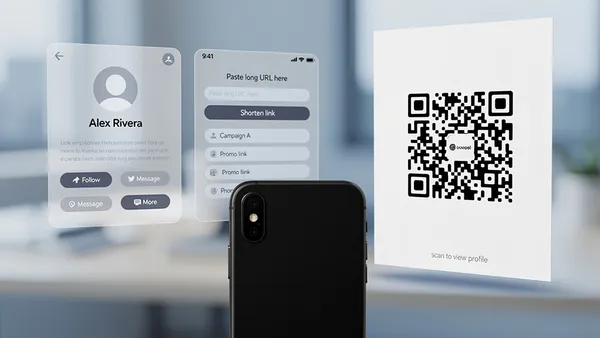
What it does well: Quality QR offers 1 free dynamic QR code with scan analytics, 5 free static codes, and no watermarks on any tier. The interface is clean and intuitive, with real-time preview as you customize. Paid plans start at €5/month with no contracts.
Standout features:
- Dynamic QR codes with URL editing
- Scan analytics (device, time and country on every plan; city and region analytics on Business)
- Custom domains on Business
- A/B testing on Pro+ and time-based scheduling on Business
- QR code bundles for campaigns
- No expiring codes (your codes work forever)
Pricing: Free tier with 1 dynamic + 5 static codes. Pro at €5/month, Business at €10/month.
Best for: Small to medium businesses wanting professional QR codes with analytics without enterprise pricing.
2. QR Code Monkey (Best Free Option)
What it does well: Completely free static QR code generation with no account required. Offers good customization including colors, shapes, and logo placement. Generates high-resolution PNG, SVG, and EPS files.
Limitations: Static codes only: no tracking, no editing after creation. No dynamic codes on any plan. The interface feels dated and cluttered compared to modern alternatives, and there's no proper management dashboard for organizing your codes like Quality QR offers.
Pricing: Free for static codes. Dynamic features through their enterprise platform at undisclosed pricing.
Best for: One-time QR codes where tracking isn't needed.
3. QRCode.io (Best for Simplicity)
What it does well: Fast, straightforward QR code generation with a clean interface. Dynamic codes with basic analytics. Good for users who want simplicity over features.
Limitations: Limited customization compared to competitors. Analytics are basic. Higher pricing for the features offered.
Pricing: Free tier very limited. Paid plans from $15/month.
Best for: Users prioritizing speed and simplicity over features.
4. Beaconstac (Best for Enterprises)
What it does well: Enterprise-grade features including advanced analytics, bulk QR code generation, custom short URLs, and white-labeling. Strong API for integrations. SOC 2 compliant.
Limitations: Expensive for small businesses. Interface can be overwhelming. No free tier, only a 14-day trial.
Pricing: Starts at $49/month for basic features. Enterprise plans with custom pricing.
Best for: Large organizations needing enterprise features and compliance certifications.
5. Bitly (Best for Link Management)
What it does well: Combines URL shortening with QR code generation. Great for teams already using Bitly for link management. Strong brand recognition and reliability.
Limitations: QR codes are secondary to link shortening, and the features reflect this. Limited QR customization. Can get expensive quickly.
Pricing: Free tier with branded Bitly links. QR features require paid plans from $29/month.
Best for: Teams already using Bitly who want QR codes integrated with their existing workflow.
6. Canva (Best for Design Integration)
What it does well: Creates QR codes directly within Canva's design tool. Perfect for designing marketing materials with embedded QR codes. Familiar interface for Canva users.
Limitations: Static codes only. No analytics or tracking. Limited QR-specific customization options.
Pricing: Free with Canva free account. More templates with Canva Pro at $12.99/month.
Best for: Designers already using Canva who need QR codes in their materials.
7. Adobe Express (Best for Adobe Users)
What it does well: QR code generation integrated into Adobe's creative suite. Good customization options. Reliable from a trusted brand.
Limitations: Static codes only. Requires Adobe account. No tracking or analytics. Limited compared to dedicated QR platforms.
Pricing: Free tier available. Premium features with Adobe Express Premium at $9.99/month.
Best for: Existing Adobe users who want QR codes without leaving the ecosystem.
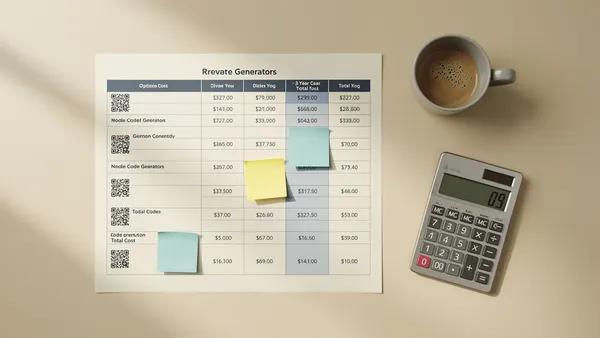
Feature Comparison Table
- Quality QR: Dynamic codes (Yes), Analytics (Detailed), Free tier (1 dynamic, 5 static), Starting price (€5/mo)
- QR Code Monkey: Dynamic codes (No), Analytics (No), Free tier (Unlimited static), Starting price (Free)
- QRCode.io: Dynamic codes (Yes), Analytics (Basic), Free tier (Very limited), Starting price ($15/mo)
- Beaconstac: Dynamic codes (Yes), Analytics (Advanced), Free tier (Trial only), Starting price ($49/mo)
- Bitly: Dynamic codes (Yes), Analytics (Link-focused), Free tier (Limited), Starting price ($29/mo)
- Canva: Dynamic codes (No), Analytics (No), Free tier (Yes), Starting price ($12.99/mo)
- Adobe Express: Dynamic codes (No), Analytics (No), Free tier (Yes), Starting price ($9.99/mo)
Our Recommendation
For most users: Quality QR offers the best balance of features and pricing. The free tier is genuinely useful, and paid plans don't lock important features behind expensive tiers.
For enterprises: Beaconstac offers the compliance and advanced features large organizations need, though at a price that reflects enterprise positioning.
For one-time static codes: QR Code Monkey works for basic static needs, though you'll get no analytics or editing ability.
Try Quality QR free today: no credit card required, and codes never expire.