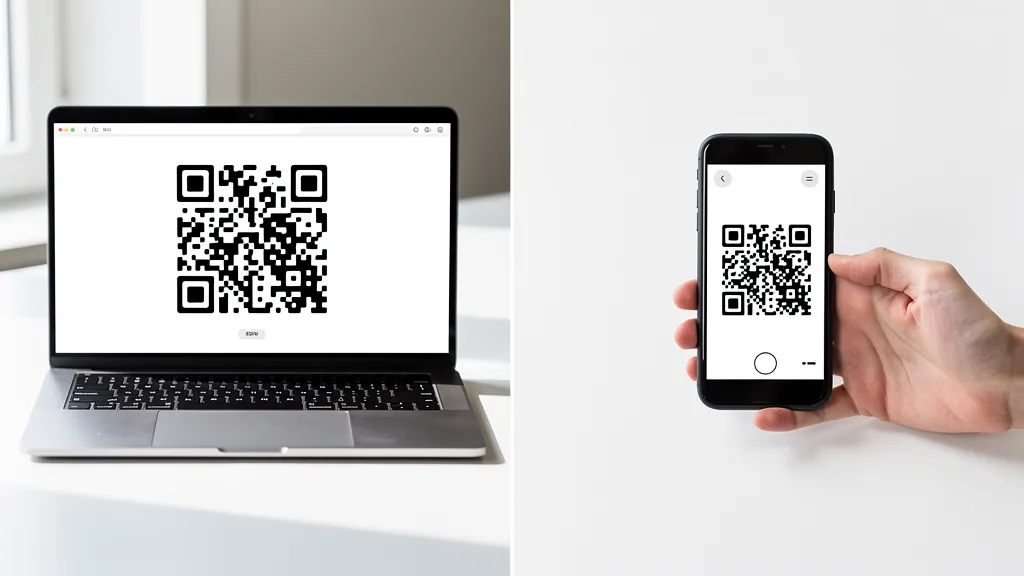
A QR code generator creates QR codes from your data (URLs, text, WiFi credentials), while a QR code scanner reads existing codes to decode their content. You need a generator to create codes and a scanner to read them. Good news: most modern smartphones have built-in QR scanners in their camera apps, so no separate app is needed.
What is a QR Code Generator?
A QR code generator is a tool that creates QR codes. You input data (like a URL, text, or contact information), and the generator produces a scannable QR code image containing that information.
When You Need a Generator
- Creating a QR code for your website or landing page
- Making a WiFi QR code for customers
- Generating vCard codes for business cards
- Creating trackable codes for marketing campaigns
- Making QR codes for PDFs or documents
Types of QR Generators
Online generators like Quality QR offer features like design customization, analytics, and dynamic editing. App-based generators work offline but often lack tracking features. Built-in generators in apps like Canva create static codes as part of designs.
What is a QR Code Scanner?
A QR code scanner reads QR codes using a camera and decodes the embedded information. This could reveal a URL, text, contact details, or WiFi credentials.
When You Need a Scanner
- Reading someone else's QR code
- Connecting to WiFi via QR code
- Accessing a restaurant menu
- Checking into events or flights
- Adding a contact from a business card
Built-In Phone Scanners
Most modern smartphones don't need a separate scanner app:
iPhone (iOS 11+):
Open the Camera app and point it at a QR code. A notification appears with the link or action. Tap to open.
Android (most devices):
Open the Camera app or Google Lens. Point at the QR code. Tap the link that appears. Some Android phones require enabling "Scan QR codes" in camera settings.
Samsung:
Open Camera, point at QR code. Or swipe down for Quick Settings and tap "Scan QR code."
When You Might Need a Scanner App
- Dedicated scanner apps offer additional features:
- Scan history for reference
- Batch scanning for inventory
- Creating QR codes (some apps do both)
- Scanning codes from saved images
- More control over what happens after scanning
Common Confusion
"I need a QR code reader to make a QR code"
No. You need a generator to make codes, and a scanner to read them. These are different tools for different purposes.
"I downloaded a scanner but it wants me to pay to create codes"
Many apps offer both functions. Free scanning but paid generation is a common business model. For creating codes, use a dedicated generator like Quality QR with transparent pricing.
"My phone won't scan QR codes"
- Try these fixes:
- Enable QR scanning in camera settings
- Update your phone's operating system
- Try Google Lens (Android) or the Camera app (iPhone)
- Ensure good lighting and hold steady
Summary
| Tool | Purpose | When to Use |
|---|---|---|
| Generator | Creates QR codes | Making codes for your business |
| Scanner | Reads QR codes | Accessing others' QR codes |
| Phone Camera | Scans QR codes | Day-to-day scanning (no app needed) |
Ready to create your first QR code? Quality QR makes it free and easy, with no scanner app required to test.