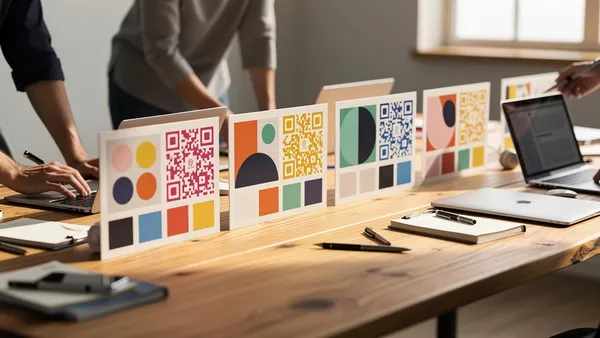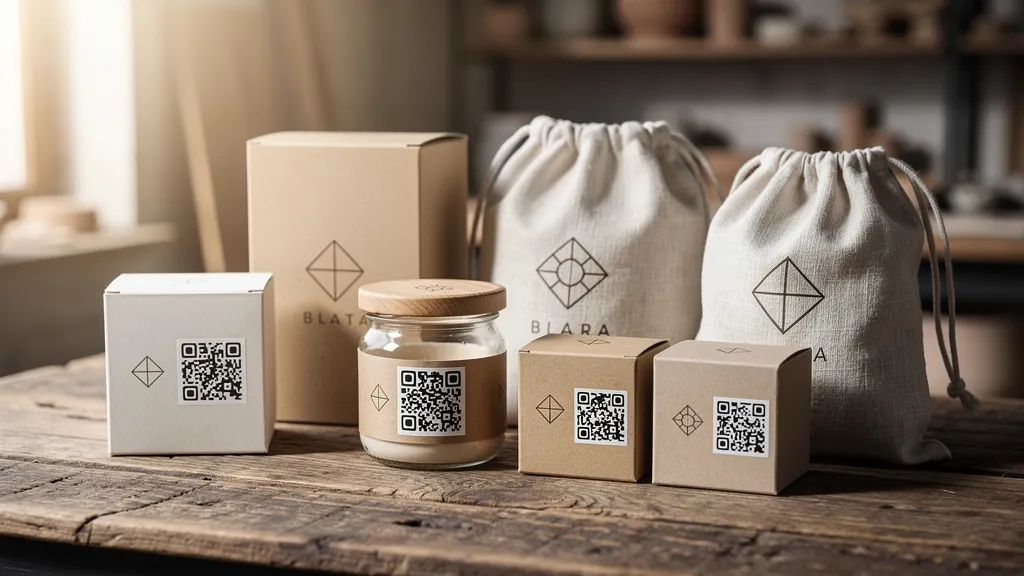
Etsy sellers can boost repeat customers and reviews by adding QR codes to packaging materials. Create a QR code linking to your shop, a specific listing, your review page, or a discount landing page. Place codes on thank you cards, packaging inserts, product tags, and shipping labels. Use dynamic codes to track which placements drive the most traffic.
Why Etsy Sellers Should Use QR Codes
Every package you ship is a marketing opportunity. QR codes make it effortless for customers to:
- Return to your shop for repeat purchases
- Leave a review (which boosts your search ranking)
- Follow your social media
- Access care instructions or product guides
- Share your shop with friends
What to Link Your QR Code To
Option 1: Your Etsy Shop
Link directly to your shop page. Customers can browse your full catalog and discover items they didn't know you sold.
Best for: Shops with diverse product lines, encouraging browse behavior.
Option 2: Specific Listing
Link to a bestseller or related product. "Loved this? You might also like..." works great for cross-selling.
Best for: Upselling related products, promoting new listings.
Option 3: Review Page
Link to the "Leave a Review" page for the purchased item. More reviews = better Etsy search ranking.
Best for: Building social proof, improving search visibility.
Option 4: Custom Landing Page
Create a simple landing page with links to your shop, social media, and a discount code. Tools like Linktree or a simple web page work well.
Best for: Capturing email addresses, social follows, and offering returning customer discounts.
Option 5: Care Instructions
Link to a PDF or webpage with product care instructions. Reduces support questions and shows professionalism.
Best for: Products needing care guidance (jewelry, clothing, handmade items).
Where to Put QR Codes
Thank You Cards
The classic placement. Include a small QR code with a call-to-action like "Scan to shop my latest items" or "Leave a review and get 10% off your next order."
Packaging Inserts
Larger inserts give more space for branding plus QR code. Can include multiple codes for different purposes (shop, Instagram, review).
Product Tags
Attach a tag to the product itself with a QR code linking to care instructions or your shop.
Stickers
Custom stickers with your QR code work on any packaging. Customers might even stick them somewhere visible, spreading your brand.
Business Cards
Include a business card in each package with your QR code. Professional touch that customers can keep.
Pro Tips for Etsy Sellers
Use Dynamic QR Codes
Quality QR's dynamic codes let you change the destination without reprinting. Launched a new product? Update your QR to feature it. Holiday sale? Redirect to a sale page.
Track Your Results
With Quality QR analytics, see how many customers scan your codes. Compare different placements to find what works best.
Offer Incentives
"Scan for 15% off your next order" dramatically increases scan rates. The discount pays for itself through repeat business.
Stay On Brand
With Quality QR's color picker and logo upload, customize your QR code to match your Etsy shop branding. Add your logo for instant recognition.
Test Before Printing
Always scan your QR code on a printed piece before ordering bulk. Ensure it scans reliably at the size you're printing.
Sample Thank You Card Template
Thank you for your order!
Your support means the world to this small business.
I hope you love your [product]!
[QR CODE]
Scan to leave a review
and get 15% off your next order!
@yourhandle | yourshop.etsy.com
Create your Etsy shop QR code free with Quality QR. Track scans, update destinations anytime, and start without a credit card.