Patient identification errors cause thousands of adverse events in hospitals every year. QR codes offer a practical, low-cost solution for reducing these errors at check-in, on wristbands, and throughout the care journey. Quality QR is a reliable tool for healthcare facilities looking to implement QR-based patient identification with dynamic codes, analytics, and HIPAA-safe practices.
The Patient Identification Problem
Wrong-patient events remain a top safety concern in healthcare. The Joint Commission reports that patient identification errors contribute to medication mistakes, wrong-site procedures, and diagnostic mix-ups. Common causes include:
- Illegible handwritten labels
- Patients with similar names
- Manual data entry errors at check-in
- Outdated or missing wristband information
- Communication gaps during shift changes
QR codes address these issues by linking physical identifiers to verified digital records, reducing reliance on manual processes.
How QR Codes Solve Patient Identification
Check-In Kiosks
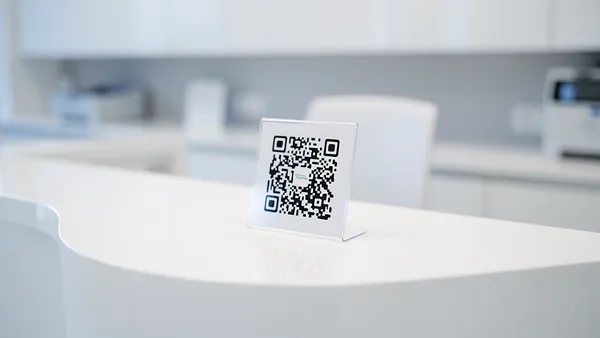
QR codes at check-in kiosks let patients scan with their phone to pull up their profile, confirm demographics, and sign consent forms digitally. This eliminates manual name searches and reduces front desk errors.
Patient Wristbands
QR codes printed on wristbands link to the patient's authenticated record. When a nurse scans the wristband, they see the patient's name, medications, allergies, and care instructions on a secure portal. This provides a fast, reliable identity check before any procedure or medication administration.
Record Matching
In facilities with multiple systems (lab, pharmacy, imaging), QR codes create a consistent identifier that works across departments. Scan the code and the correct patient record appears, regardless of which system the department uses.
Setting Up Patient Identification QR Codes with Quality QR
Quality QR's dynamic codes are well-suited for healthcare because you can update the linked content without replacing physical materials. Here is how to set up a patient identification system:
Step 1: Plan your linking strategy
QR codes should link to your authenticated patient portal, not directly to patient records. The code itself contains only a URL with a unique identifier. All patient data stays behind your portal's login.
Step 2: Create dynamic QR codes in Quality QR
Log into Quality QR and create dynamic URL codes for each use case: check-in kiosks, wristbands, and department signage. Dynamic codes let you update the portal URL if your systems change.
Step 3: Set up your print workflow
For wristbands, integrate with your label printer. Quality QR's API can generate codes programmatically for each patient admission. For kiosks and signage, download PNG or SVG files and print at the required size.
Step 4: Test thoroughly
Scan every printed code on multiple devices before deploying. Test in low-light conditions (hallways, patient rooms at night) and at various angles. Quality QR codes at 1 inch or larger scan reliably in typical healthcare lighting.
QR Code Wristband Systems
Wristband QR codes are the most impactful application for patient identification. Here is how facilities typically implement them:
Admission: When a patient is admitted, a unique QR code is generated through Quality QR's API and printed on a wristband. The code links to the patient's portal page behind authentication.
Bedside verification: Before administering medication, the nurse scans the wristband QR code. The portal displays the patient's identity, current medications, and allergy information. This two-factor check (wristband scan plus visual patient confirmation) dramatically reduces wrong-patient events.
Department transfers: When a patient moves between departments, the QR code travels with them. Any department can scan the wristband to pull up the correct record, eliminating transfer paperwork errors.
Quality QR's scan analytics track how often each code is scanned, giving administrators visibility into whether staff are consistently following the verification protocol.
Privacy and HIPAA Compliance with QR Codes
This is the most common concern healthcare facilities have about QR codes, and it is the right question to ask. Here is how to stay compliant:
Never encode PHI in the QR code itself. The QR code should contain only a URL with an opaque identifier (like a random token). Anyone who scans the code sees a login page, not patient data.
Require authentication on the portal. The linked page must require staff credentials before displaying any patient information. Quality QR codes link to HTTPS URLs exclusively, ensuring encrypted transmission.
Audit scan access. Quality QR's analytics log every scan with timestamps. Combined with your portal's access logs, this creates an audit trail showing who accessed patient information and when.
Train staff on proper handling. QR codes on wristbands should be treated with the same care as any patient identifier. Deactivate codes at discharge by updating the dynamic QR destination in Quality QR.
Quality QR Features for Healthcare Facilities
Quality QR offers several features particularly useful for healthcare implementations:
- Dynamic codes: Update the destination URL without replacing wristbands or signage
- API access: Generate codes programmatically for admission workflows
- Scan analytics: Track verification compliance across departments
- Team collaboration: Multiple staff members can manage codes on the Business plan
- Custom domains: Use your facility's domain for QR code redirect URLs on the Business plan
- No scan limits: Codes work reliably regardless of volume
Patient Check-In QR Codes: Step-by-Step with Quality QR
For waiting room check-in, the setup is simpler than wristband systems:
- Create a dynamic QR code in Quality QR linking to your online check-in form
- Download as SVG for large signage or PNG for table tents
- Print and place at entrance, waiting room seats, and check-in desk
- Include text: "Scan to check in on your phone"
- Monitor scan rates in Quality QR's dashboard to measure adoption
On the Business plan, Quality QR's analytics show you check-in adoption rates by time of day. If morning patients scan less frequently, consider adding staff assistance during peak hours.
Measuring ROI of QR-Based Patient Identification
Track these metrics using Quality QR's analytics combined with your facility data:
- Scan rates by location: Are wristbands being scanned before procedures? Quality QR shows scan frequency per code.
- Check-in time reduction: Compare front desk processing times before and after QR check-in deployment.
- Error reduction: Track wrong-patient events before and after implementation.
- Staff compliance: Scan analytics reveal whether verification protocols are being followed consistently.
Getting Started with Quality QR for Healthcare
Quality QR offers plans that scale with your facility's needs:
- Free: 1 dynamic + 5 static codes. Enough to pilot check-in QR codes at one location.
- Pro (5 euros/month): 10 dynamic codes with extended analytics. Good for small clinics.
- Business (10 euros/month): 100 dynamic codes, team collaboration, a higher API quota (10,000 requests a month), custom domains. Built for hospitals and multi-location facilities.
Start with a free pilot at one check-in point. Measure adoption and patient feedback over 30 days, then expand based on results.