Healthcare QR codes reduce wait times, improve patient experience, and streamline operations. Key applications include contactless check-in (reducing wait times by up to 50%), patient education materials, medication information, wayfinding in large facilities, appointment scheduling, feedback collection, and staff identification. HIPAA compliance requires that QR codes never contain protected health information (PHI) directly—they should link to secure, authenticated portals instead.
Why Healthcare Needs QR Codes
Healthcare facilities face unique challenges that QR codes address effectively:
Reducing Physical Contact
Minimizing shared surfaces (clipboards, pens, magazines) remains important in healthcare settings. QR codes enable touchless interactions.
Managing High Patient Volume
Busy facilities need efficient processes. QR-based check-in and information sharing reduce bottlenecks and staff workload.
Complex Wayfinding
Large hospitals are notoriously difficult to navigate. QR codes provide instant, contextual directions.
Patient Education
Healthcare information is complex. QR codes connect patients to detailed resources, videos, and instructions they can review at their own pace.
Multilingual Support
QR codes can link to content in multiple languages, serving diverse patient populations without printing materials in every language.
Patient-Facing Applications
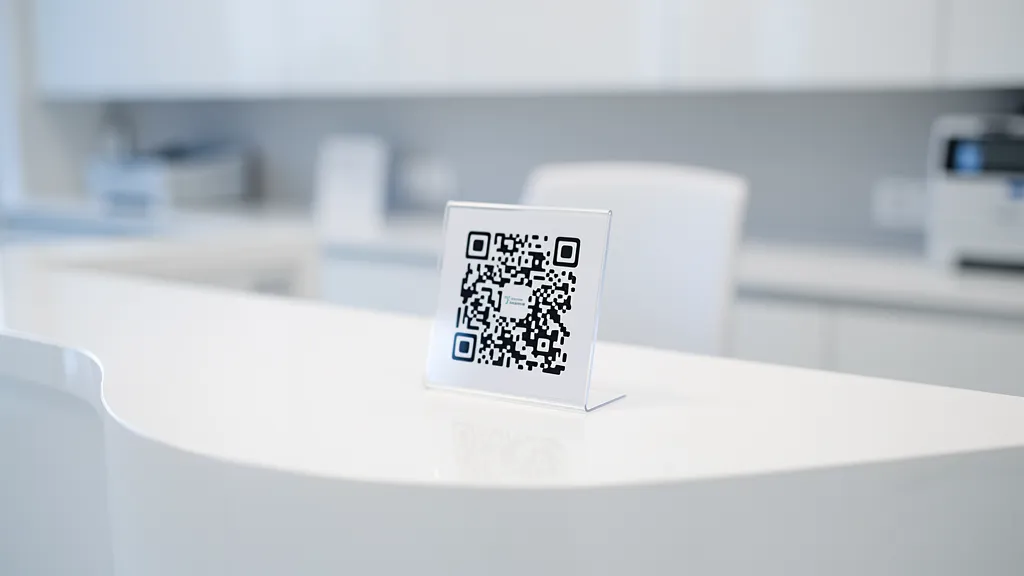
Contactless Check-In
Replace clipboard sign-in with QR code check-in:
How it works:
- Patient scans QR code in waiting room
- Opens secure check-in form on their phone
- Confirms/updates demographics and insurance
- Signs consent forms digitally
- Receives queue position notification
Benefits:
- 30-50% reduction in check-in time
- Fewer data entry errors
- Reduced front desk congestion
- Patients can complete forms before arrival
- Digital consent form storage
Implementation tip: Place QR codes at entrance, waiting room seats, and check-in desk. Include clear instructions for patients unfamiliar with QR scanning. With a tool like Quality QR, you can create dynamic check-in codes and update them instantly if your forms or systems change.
Appointment Scheduling
QR codes on business cards, appointment reminder cards, and facility signage linking to online scheduling:
- New patient appointment booking
- Follow-up visit scheduling
- Specialist referral appointments
- Lab and imaging scheduling
- Telehealth visit booking
Pro tip: Use dynamic QR codes from Quality QR so you can update the scheduling link if you change systems without reprinting materials.
Patient Education Materials
Physical brochures have space limitations. QR codes extend educational content infinitely:
Post-visit instructions: Link to detailed care instructions, medication guides, and recovery videos. Patients can reference these at home.
Condition information: QR codes on diagnosis paperwork linking to trusted educational resources about the condition.
Procedure preparation: Link to prep instructions, what-to-expect videos, and FAQ pages for upcoming procedures.
Video content: Complex instructions (wound care, physical therapy exercises, medication administration) are better demonstrated than described. Link to instructional videos.
Medication Information
QR codes on prescription bags or medication packaging (where regulations permit) linking to:
- Detailed drug information
- Potential side effects
- Drug interaction checkers
- Proper administration instructions
- Refill ordering
- Pharmacist contact information
Important: Ensure linked content is from authoritative medical sources and kept current.
Medical Device Instructions
For take-home medical devices (glucose monitors, blood pressure cuffs, CPAP machines, etc.):
- Setup video tutorials
- Troubleshooting guides
- Supply reordering
- Technical support contact
- Data sync instructions
Patient Feedback Collection
QR codes in exam rooms, waiting areas, and exit points for real-time feedback:
- Visit satisfaction surveys
- Provider ratings
- Facility cleanliness feedback
- Wait time feedback
- Suggestion submission
Timing matters: Capture feedback immediately while the experience is fresh. Post-visit email surveys have much lower response rates. Quality QR's scan analytics help you measure response rates by placement and time of day.
Facility Operations Applications
Wayfinding and Navigation
Large healthcare facilities are notoriously confusing. QR code wayfinding helps:
Location-based QR codes: Place codes throughout the facility. Scanning shows 'You are here' and directions to common destinations.
Destination-specific codes: 'Scan for directions to Radiology' codes at decision points.
Department directories: QR codes at entrances linking to interactive facility maps.
Parking assistance: Codes in parking structures showing the route to main entrance and how to remember parking location. Quality QR's dynamic codes are ideal for wayfinding because you can update directions as departments relocate without replacing signage.
Staff Identification
QR codes on staff badges linking to:
- Staff member's photo and credentials
- Department and role information
- Languages spoken
- Patient-facing bio (for clinical staff)
This helps patients verify staff identity and feel more comfortable with their care team.
Equipment and Asset Management
QR codes on medical equipment for:
- Maintenance history and schedules
- Operating instructions
- Cleaning protocols
- Issue reporting
- Calibration records
- Inventory tracking
Room and Bed Management
QR codes on room doors or bed frames linking to:
- Room status and assignments
- Cleaning verification
- Equipment inventory
- Safety protocols
- Isolation precautions (staff-only access)
Emergency Information
Strategically placed QR codes for emergency situations:
- Evacuation routes and assembly points
- Emergency contact numbers
- AED locations and instructions
- Emergency procedure quick guides
HIPAA Compliance Considerations
Healthcare QR codes must be implemented with patient privacy in mind:
What NOT to Put in QR Codes
Never encode PHI directly: QR codes should not contain patient names, medical record numbers, diagnoses, or any protected health information. Anyone with a QR scanner could read this data.
Safe QR Code Practices
Link to authenticated portals: QR codes should link to login pages where patients authenticate before accessing their information.
Use generic educational content: Patient education QR codes linking to general health information (not patient-specific) are safe.
Facility information is fine: Wayfinding, scheduling, contact information, and general facility info don't involve PHI.
Feedback without identification: Anonymous satisfaction surveys don't require HIPAA controls (but consider optional identification for follow-up).
Technical Security
- Use HTTPS links exclusively
- Implement proper authentication on patient portals
- Audit QR code access logs
- Regular security assessments of linked systems
- Clear data retention policies
Implementation by Facility Type
Hospitals
Focus areas: Wayfinding, check-in, patient education, visitor management, staff identification, equipment tracking.
High-impact placements: Main entrance, elevator lobbies, department entrances, waiting rooms, patient rooms, discharge areas.
Outpatient Clinics
Focus areas: Appointment scheduling, check-in, patient education, feedback collection.
High-impact placements: Reception desk, waiting room, exam rooms, checkout area, exit.
Dental Practices
Focus areas: Appointment scheduling, treatment education, consent forms, post-procedure care instructions.
High-impact placements: Reception, treatment rooms, checkout, appointment reminder cards.
Pharmacies
Focus areas: Medication information, refill ordering, pharmacist consultation scheduling, health screenings.
High-impact placements: Prescription pickup counter, waiting area, prescription bags.
Mental Health Facilities
Focus areas: Resource access (crisis lines, support groups), appointment scheduling, telehealth access, anonymous feedback.
Special consideration: Extra attention to privacy—ensure QR code scans aren't visible to others.
Measuring Success
Key Metrics to Track
Patient experience:
- Check-in time reduction
- Patient satisfaction scores
- Wayfinding-related complaints
- Education material engagement
Operational efficiency:
- Front desk workload changes
- Form completion rates
- No-show rate changes (if using scheduling QR codes)
- Feedback response rates
Adoption metrics:
- QR code scan rates by placement area
- Time-of-day usage patterns
- Device types (helps identify patient demographics)
- Completion rates for multi-step processes
Common Implementation Mistakes
Assuming all patients can scan: Provide alternatives for elderly patients or those without smartphones. Staff should be ready to assist.
Poor placement: QR codes too high, too low, or in poor lighting won't get scanned. Test placements with real users.
Linking to non-mobile content: Ensure all linked content is mobile-responsive. Test on actual phones, not just desktop previews.
No instructions: Include brief text explaining what the QR code does: 'Scan to check in' rather than just a code.
Forgetting accessibility: Consider patients with visual impairments. Pair QR codes with other access methods.
Stale content: Keep linked content current. Outdated medical information is potentially dangerous. Use dynamic QR codes so you can update destinations.
Getting Started Checklist
Phase 1 - Quick wins:
- QR code check-in for waiting rooms
- Appointment scheduling links on business cards
- Patient feedback QR codes at exit points
- WiFi QR codes for waiting rooms
Phase 2 - Enhanced experience:
- Patient education QR codes in exam rooms
- Wayfinding codes at key decision points
- Post-visit instruction QR codes
- Medication information links
Phase 3 - Full integration:
- Equipment tracking QR codes
- Staff badge QR codes
- Room management integration
- Analytics-driven optimization
Improve your patient experience with QR codes from Quality QR. Create dynamic codes with scan analytics, update destinations without reprinting, and start free with no credit card required.