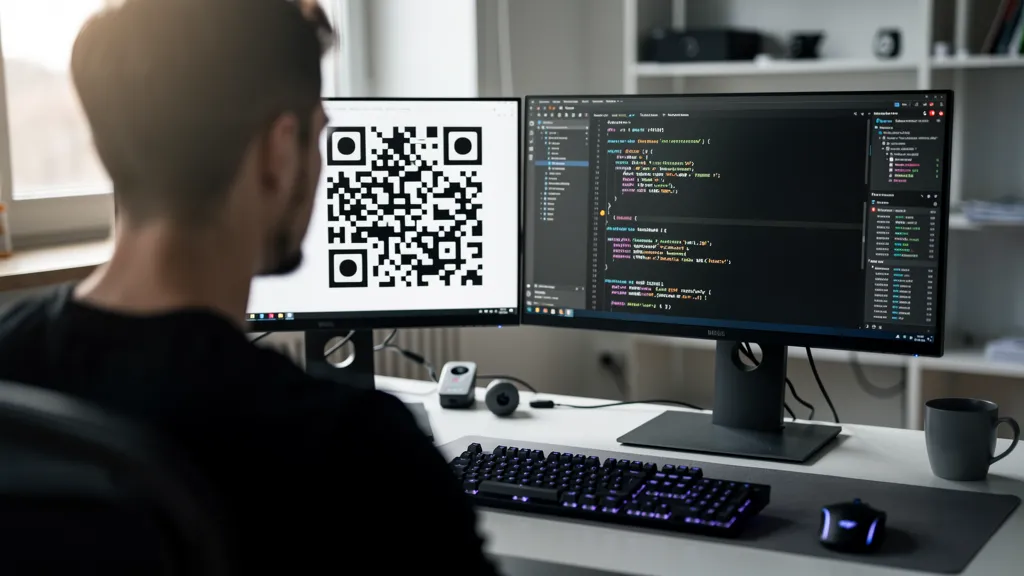
Quality QR offers two ways to create and manage QR codes programmatically: a REST API for traditional integrations, and an MCP (Model Context Protocol) server that lets Claude, Cursor, and other AI assistants do it in natural language. This guide covers both: when to use each, how to authenticate, and runnable examples in cURL, JavaScript, and Python.
Why Use a QR Code API?
A dashboard is fine for creating a handful of codes. Programmatic generation is essential when you need to:
- Automatically create QR codes when new products, orders, or users are added
- Generate codes from a database or CRM at scale
- Embed QR generation directly into your application
- Trigger creation from workflows or CI/CD pipelines
- Let an AI assistant create and manage codes through conversation
Two Ways to Integrate
REST API. Standard HTTPS plus JSON. Best when you're embedding QR generation into your own app, automating bulk creation from a database, or wiring it into Zapier, n8n, or CI pipelines.
MCP Server. A Model Context Protocol endpoint that exposes 6 tools (create, list, get, update, delete, analytics) to AI assistants. Best when you want Claude, Cursor, or any MCP client to manage QR codes through prompts. No SDK, no fetch calls. Just ask.
Both use the same API key from your dashboard, so you can mix and match across projects.
Getting Started with the REST API
Authentication
All API requests require an API key passed in the Authorization header. Generate your key from the Dashboard → API Keys page.
Authorization: Bearer your_api_key_hereBase URL
All endpoints use the base URL:
https://quality-qr.app/api/v1Rate Limits
API rate limits are monthly, not per-minute: 100 requests/month on Free, 1,000 on Pro, and 10,000 on Business. Every response includes X-RateLimit-Limit, X-RateLimit-Remaining, and X-RateLimit-Reset headers so you can track usage. See the full rate limit documentation.
Creating QR Codes via REST
The core endpoint is POST /api/v1/qr. Send a JSON body describing the code you want:
POST /api/v1/qr

{
  "type": "url",
  "content": "https://example.com",
  "name": "Homepage Link",
  "isDynamic": true
}
Response:
{
  "success": true,
  "dataUrl": "data:image/png;base64,...",
  "qrCode": {
    "id": "qr_8xK2mNp3",
    "shortUrl": "https://quality-qr.app/q/8xK2mN"
  }
}
Supported types include URL, WiFi, vCard, Email, Phone, SMS, Event, PDF, Menu, App Store, Social, and Plain Text. See the QR codes endpoint reference for the full schema, including design options for colors, patterns, and logos.
Code Examples
cURL
curl -X POST https://quality-qr.app/api/v1/qr \
  -H "Authorization: Bearer $QUALITY_QR_API_KEY" \
  -H "Content-Type: application/json" \
  -d '{"type": "url", "content": "https://example.com", "isDynamic": true}'
JavaScript (Node.js)
const response = await fetch('https://quality-qr.app/api/v1/qr', {
  method: 'POST',
  headers: {
    'Authorization': `Bearer ${process.env.QUALITY_QR_API_KEY}`,
    'Content-Type': 'application/json',
  },
  body: JSON.stringify({
    type: 'url',
    content: 'https://example.com',
    isDynamic: true,
  }),
});

const data = await response.json();
console.log(data.qrCode.shortUrl);
Python
import os, requests

response = requests.post(
    'https://quality-qr.app/api/v1/qr',
    headers={'Authorization': f'Bearer {os.environ["QUALITY_QR_API_KEY"]}'},
    json={'type': 'url', 'content': 'https://example.com', 'isDynamic': True},
)

data = response.json()
print(data['qrCode']['shortUrl'])
The MCP Server: Natural Language QR Management
If you're building with Claude, Cursor, or any MCP-compatible AI tool, the MCP server is the fastest path to QR automation. Instead of writing fetch calls, you give your assistant a prompt and it picks the right tool.
Endpoint: https://quality-qr.app/api/mcp
Auth: Bearer token (same API key as REST)
Protocol: JSON-RPC 2.0 over HTTP
What the MCP Server Exposes
Six tools cover the full QR lifecycle:
- `quality_qr_create`: create any of the 12 supported types (URL, WiFi, vCard, and more) and return inline SVG
- `quality_qr_list`: list your codes with optional type filter and pagination
- `quality_qr_get`: fetch full details including destination, styling, and status
- `quality_qr_update`: update a dynamic code's destination URL, name, or enabled state
- `quality_qr_delete`: permanently delete a code and free up your plan quota
- `quality_qr_analytics`: total scans, daily trends, device breakdown, and top countries
These tools also cover the lifecycle operations beyond creation. REST handles create and list (POST /api/v1/qr and GET /api/v1/qr); update, delete, and analytics are exposed through MCP rather than additional REST endpoints today, so MCP is the recommended path when you need full lifecycle management from code.
Setup in 30 Seconds
Claude Desktop or Cursor. Add this to your MCP config (claude_desktop_config.json or ~/.cursor/mcp.json):
{
  "mcpServers": {
    "quality-qr": {
      "url": "https://quality-qr.app/api/mcp",
      "headers": {
        "Authorization": "Bearer YOUR_API_KEY"
      }
    }
  }
}
Claude Code (CLI):
claude mcp add quality-qr \
  --transport http \
  https://quality-qr.app/api/mcp \
  --header "Authorization: Bearer YOUR_API_KEY"
Smithery. Install in one click from the Smithery registry. Smithery handles the authorization header automatically.
The server is open source: github.com/silly-geese/quality-qr-mcp.
Example Prompts
Once connected, you can drive QR creation entirely through conversation:
- "Create a QR code for https://example.com"
- "Make a WiFi QR code for network MyWiFi with password guest123"
- "Show me analytics for my QR codes"
- "Disable QR code abc123"
- "Create a vCard QR for John Doe, john@example.com"
MCP Rate Limits
Tool calls count against the same monthly API quota as REST: 100/month on Free, 1,000 on Pro, and 10,000 on Business. Protocol messages like initialize and tools/list are free. Analytics history depth scales with your plan: 7 days on Free, 30 days on Pro, 1 year on Business.
Full setup details live on the MCP docs page.
REST API vs. MCP: Which to Use
Reach for REST when you need deterministic server-to-server automation, bulk generation from a database, integration with CI/CD or workflow tools, or any context where an LLM isn't in the loop.
Reach for MCP when you want an AI assistant to create and manage codes on your behalf, you're prototyping quickly inside Claude or Cursor, or you need list, update, delete, and analytics in addition to create without writing client code.
Best Practices
- Cache responses. Don't re-fetch QR data that hasn't changed.
- Watch the rate-limit headers. Implement exponential backoff on 429 responses, using the
Retry-Aftervalue. - Store QR code IDs. Save the returned ID so you can update or delete the code later.
- Restrict your API key.
chmod 600your config files, rotate keys via the dashboard, and never commit them to git. - Revoke compromised keys instantly. Revocation takes effect immediately on the dashboard.
Check current usage and limits on the API rate limits page. Upgrade your plan if you need higher limits.
Get started by generating a free API key from the dashboard, then pick the path that fits your stack: the REST API for code, or the MCP server for AI assistants.