How do you keep QR codes safe from scammers? Use trusted providers with HTTPS. Print on tamper-proof materials. Watch your analytics for anything odd. Teach your users what to look for. This guide walks through each step.
Why QR Code Security Matters
QR codes are everywhere. Menus, payments, packaging, ads. That makes them a target. In 2023, the FBI got over 40,000 fraud complaints tied to QR codes. Losses topped $50 million.
The core problem is simple: you can't see where a QR code leads before you scan it. With a regular link, you can hover and preview the URL. With a QR code, you're trusting blindly.
For businesses, the stakes go beyond money. A hacked QR code can hurt your brand, break customer trust, and open you up to lawsuits. Security isn't optional anymore.
The Threat Landscape
Physical Tampering
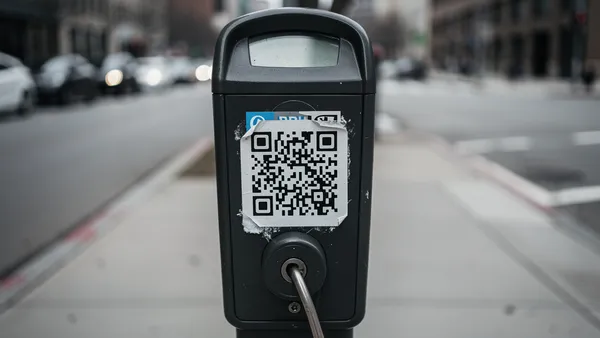
The most common attack is physical tampering. Criminals stick fake QR codes over real ones. This is called "QRishing" (QR + phishing). It targets busy spots like parking meters, restaurants, and transit stations.
- Here's how it works:
- Sticker overlays: A fake QR sticker goes on top of a real one. It sends you to a phishing site instead.
- Full replacement: Attackers swap out entire signs or posters. This is harder to spot.
- Strategic vandalism: Scratching or covering a real code pushes people toward a fake one placed nearby.
Digital Attacks
- Physical tampering isn't the only risk. Digital attacks can be just as damaging:
- Account takeover: A hacker gets into your QR platform and redirects all your codes at once.
- Network interception: On open Wi-Fi, attackers can hijack QR redirects mid-flight.
- Domain expiry: If your short URL domain lapses, anyone can buy it and control your codes.
- Supply chain issues: A shady print vendor could swap in bad codes during production.
Social Engineering
- Scammers also use psychology to trick people into scanning:
- Fake urgency: "Scan now to avoid a fee!" pressures people into acting fast.
- Brand faking: Codes that look like they're from your bank or a government agency.
- Curiosity traps: "Scan to see what you've won!" appeals to human curiosity.
Best Practices for Businesses
Pick a Secure QR Provider
- Not every QR generator takes security seriously. Here's what to look for:
- HTTPS on all redirects. If a provider uses HTTP, skip them.
- Reliable hosting. Downtime is an opening for attackers.
- URL scanning. Good providers check links for malware and phishing.
- Strong access controls. Two-factor auth, role permissions, and audit logs.
- Clear data policies. Know what they collect and how they store it.
Protect Physical Codes
- Printed QR codes need physical protection too:
- Tamper-proof materials. Holographic stickers and break-on-peel labels show when someone has messed with them.
- Smart placement. Put codes behind glass, at counter level, or built into surfaces. Avoid loose stickers.
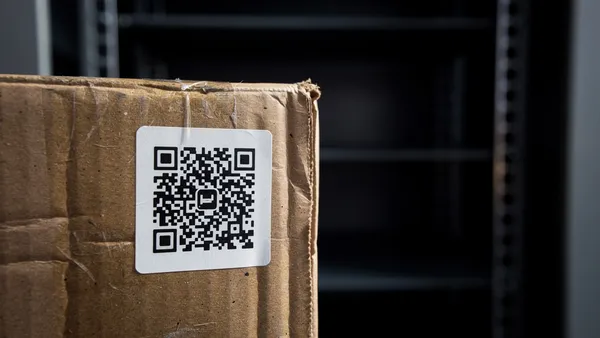
- Serial numbers. Print a unique ID next to each code. If the code gets swapped, the ID won't match.
- Regular checks. Inspect your codes on a schedule. Check busy locations weekly. Log every inspection.
- Backup copies. Place a second code nearby. If one gets tampered with, the other is still clean.
Use Technical Safeguards
- Layer in technical defenses:
- Custom domains. Use qr.yourbrand.com instead of a generic short URL. People can recognize your domain.
- SSL certificates. Make sure your landing pages use HTTPS. Browsers warn users about insecure pages.
- Rate limiting. Cap how fast your pages can be hit. This catches automated attacks.
- Analytics alerts. Set up alerts for traffic spikes, odd locations, or scans at strange hours.
- Preview pages. Show users the destination URL before redirecting. This gives them a chance to back out.
Anti-Counterfeiting (High-Value Use Cases)
- For product authentication, tickets, or anything where fakes are costly, go further:
- Signed data. Embed a digital signature in the QR code. Only your private key can create valid codes.
- One-time scans. Disable the code after its first use. This stops copied codes from working.
- App-based checks. Have users verify through your official app, which checks a secure database.
- Physical features. Add holograms, microtext, or UV ink alongside the QR code.
- Blockchain records. Store code hashes on-chain for tamper-proof verification.
Best Practices for Consumers
Before You Scan
- Take a second look before you scan any code:
- Check for tampering. Is it a sticker on top of another code? Does it look crooked or low quality?
- Does it belong here? A random QR code on a lamppost is suspicious. Codes should match their setting.
- Go direct. If the code links to a known site, just type the URL yourself.
- Ask someone. At a restaurant or store, ask staff if the code is legit.
After You Scan
- Your phone will show you the URL before it opens. Use that moment:
- Read the URL. Does it match what you expect? Watch for lookalike domains like g00gle.com.
- Check for HTTPS. A legit site uses encryption. Be careful with HTTP-only pages.
- Watch for red flags. A menu code shouldn't ask for your credit card. An info code shouldn't need your password.
Red Flags at a Glance
- Urgency: "Scan now!" or "Act immediately!"
- Too good to be true: Free money, prizes, or crypto giveaways
- Odd requests: Payment info for a menu, login details for a poster
- Bad quality: Typos, blurry logos, mismatched branding
- Redirect chains: Getting bounced through several URLs
- App installs: Being asked to install an unknown app
Enterprise Security
Access Management
- Lock down who can touch your QR codes:
- Role-based access. Not everyone needs the ability to edit or delete codes.
- Two-factor auth. Require it for all QR management accounts.
- SSO. Tie into your existing identity system.
- Audit logs. Record every create, edit, delete, and login attempt.
- Offboarding. When someone leaves, revoke access and review their codes.
Compliance and Privacy
- QR analytics can trigger privacy rules. Here's the short version:
- GDPR (EU): Get consent before collecting scan data. Let users request or delete their data.
- CCPA (California): Honor opt-out requests for data collection.
- Industry rules: Healthcare (HIPAA) and finance (PCI-DSS) add extra requirements.
- Data retention: Define how long you keep analytics data. Stick to it.
Incident Response
- Have a plan before something goes wrong:
- Monitoring. Watch for traffic spikes, user reports, and flagged URLs.
- Response steps. Write down exactly what to do: who to call, what to disable, how to notify users.
- Templates. Draft your communications in advance so you can act fast.
- Post-incident review. After every incident, figure out what went wrong and fix it.
Security Features at Quality QR
We build security into every layer:
Infrastructure:
- HTTPS with TLS 1.3 on all redirects
- Cloudflare edge network with DDoS protection
- Regular security audits
- SOC 2 Type II compliant infrastructure
Access controls:
- Two-factor authentication
- Role-based team permissions
- Full audit logging
- SSO integration (Business plan)
Abuse prevention:
- Automatic URL scanning for malware and phishing
- Rate limiting
- Manual review of flagged content
- Fast response to reported issues
Anti-counterfeiting (Business plan):
- Cryptographic verification codes
- One-time scan validation
- Geographic scan validation
- Custom verification pages
Monitoring and alerts:
- Scan speed alerts for unusual activity
- Geographic anomaly detection
- Destination health checks
- Real-time notifications
What's Coming Next
AI-Powered Attacks
AI tools make it easy to build convincing fake pages. Phishing sites will look more real. Scam emails will read better. Stay alert.
Augmented Reality
As AR grows, so will QR-related attacks. Virtual overlays could hide or replace real codes. Security tools will need to keep up.
Quantum Computing
Not an immediate threat, but worth watching. Quantum computers could break today's encryption. New quantum-safe methods are already in development.
Conclusion
QR code security is a team effort. Providers, businesses, and consumers all play a role. Use secure tools. Protect your physical codes. Train your team. Watch your analytics.
You can't eliminate all risk. But you can make your codes hard to attack, catch problems fast, and respond well when something happens.
Ready to get started? Quality QR includes strong security on every plan, from free to Business.