Quality QR is one of the best tools for Etsy sellers who want to add QR codes to their packaging. You can create a free dynamic QR code that links to your shop, track how many customers scan it, and update the destination anytime without reprinting. This tutorial walks you through every step.
Why Etsy Sellers Choose Quality QR
Most QR code generators either charge for dynamic codes or impose scan limits that break your codes mid-campaign. Quality QR solves both problems:
- Free dynamic QR code included so you can edit the destination after printing
- No scan limits on any plan, including free
- Scan analytics to see which packaging placements drive the most traffic
- Custom branding with your Etsy shop colors (logo upload on Pro and Business)
- Codes never expire, even if you stay on the free plan
- No credit card required to get started
For Etsy sellers shipping physical products, this means your thank you cards and packaging inserts will always work, and you can see exactly how many customers engage with them.
Step 1: Create Your Free Quality QR Account
Go to Quality QR and click "Get Started Free." You can sign up with Google or email. No credit card is needed, and the free tier includes everything you need to get started: 1 dynamic QR code and 5 static codes with scan analytics.
Step 2: Choose Your QR Code Type
In the Quality QR dashboard, click "Create QR Code" and select the URL type. For Etsy shops, URL is the right choice since you are linking to a web page.
Dynamic vs. static: Choose dynamic. With a dynamic QR code from Quality QR, you can change where the code points after you print it. Running a holiday sale? Swap the link from your main shop to your sale page. Launching a new product? Update the destination in seconds.
Step 3: Enter Your Etsy Shop URL
Paste your Etsy URL into the destination field. Here are the URL formats for common Etsy destinations:
- Your shop:
https://www.etsy.com/shop/YourShopName - A specific listing:
https://www.etsy.com/listing/123456789/product-name - Your reviews page:
https://www.etsy.com/shop/YourShopName/reviews - A custom landing page: Any URL you control with discount codes and social links
Pro tip: For thank you card inserts, linking to your reviews page is often the highest-value choice. More reviews improve your Etsy search ranking, which brings in more sales.
Step 4: Customize Your QR Code Design
Quality QR lets you match the code to your Etsy shop branding:
- Colors: Use the color picker to set foreground and background colors that match your brand palette
- Contrast: Keep the foreground dark and background light for the best scan reliability
- Want to take your design further? Pro plan users can also upload a logo, choose custom dot patterns (dot, rounded, or square), and customize corner styles.
Keep the contrast high between foreground and background. A dark code on a light background scans most reliably. Quality QR's preview shows you exactly how the code will look before you download.
Step 5: Download and Print
Quality QR offers two export formats, both free with no watermarks:
- PNG (1024x1024): Best for thank you cards, packaging inserts, and stickers. Works at any size up to about 8 inches.
- SVG (vector): Best for large prints, vehicle wraps, or when your designer needs a scalable file.
Sizing for common Etsy packaging:
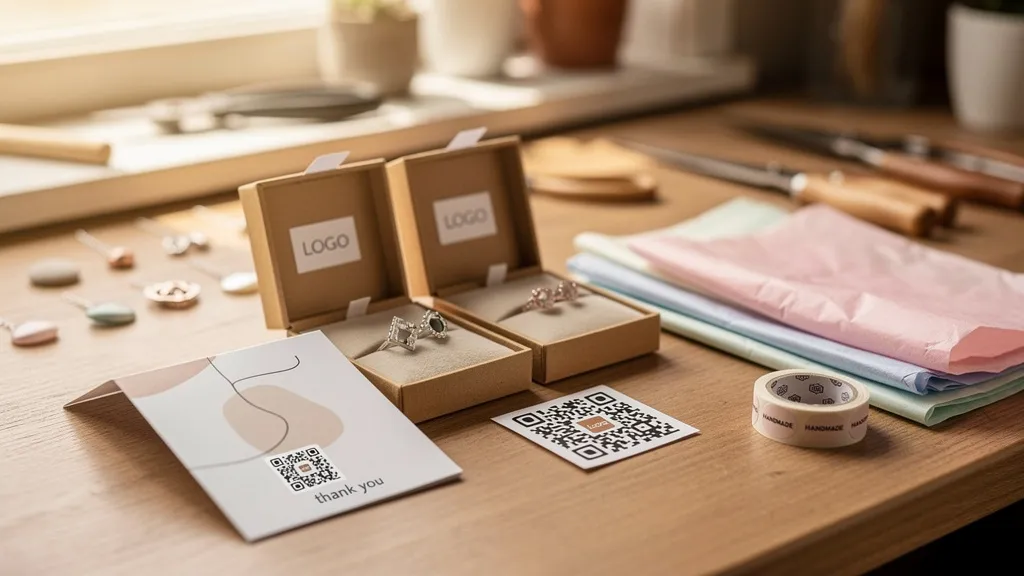
- Thank you cards: 1 to 1.5 inches is ideal
- Packaging inserts: 1.5 to 2 inches gives room for a call-to-action below
- Product tags: 0.8 to 1 inch minimum
- Stickers: 1 inch works well for circular labels
Always print a test copy and scan it with your phone before ordering a full batch.
Step 6: Track Your Results with Quality QR Analytics
Once your codes are in the wild, Quality QR's analytics dashboard shows you:
- Total scans and unique scans over time
- When customers scan so you can see delivery-to-scan timing
- Device breakdown to understand your customer demographics
- Location data (country on every plan; city and region on Business) if you sell at markets or events alongside online
Use this data to compare placements. If thank you cards get 3x more scans than product tags, focus your effort there. Quality QR's analytics are included on every plan, including free.
Advanced Tips for Etsy Sellers Using Quality QR
A/B Test Different Calls to Action
Create two QR codes linking to different destinations (your shop vs. your reviews page). Put each on half your thank you cards and compare scan rates in Quality QR's dashboard. This tells you what your customers respond to.
Seasonal URL Swaps
Because Quality QR's dynamic codes let you change the destination anytime, you can reuse the same printed materials year-round. Update the link for Black Friday sales, holiday collections, or new product launches without reprinting.
Use QR Code Bundles for Multiple Listings
If you sell different product categories, Quality QR's bundle feature lets you group related QR codes together and manage them as a set. One bundle for jewelry packaging, another for clothing tags.
Quality QR Pricing for Etsy Sellers
Most Etsy sellers can start with the free plan and upgrade as they grow:
- Free: 1 dynamic QR code + 5 static codes, scan analytics, no watermarks
- Pro (5 euros/month): 10 dynamic QR codes, 30 static codes, extended analytics
- Business (10 euros/month): 100 dynamic QR codes, unlimited static codes, team features
If you are just getting started with QR codes on your packaging, the free plan gives you everything you need to test the concept and see results.