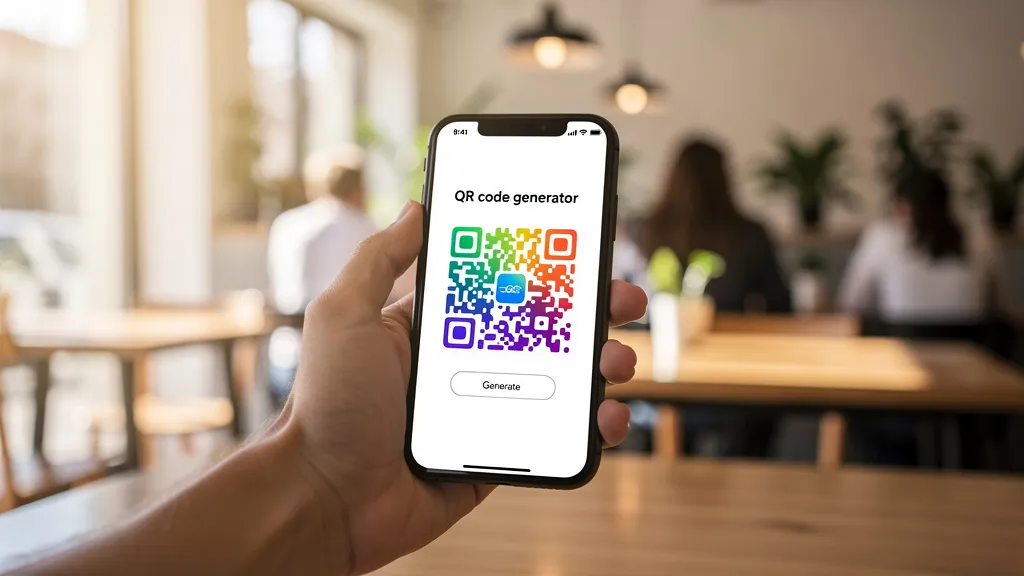
Most QR code generators were designed for desktop first. You open them on your phone and immediately feel it — buttons too small to tap, previews that overflow the screen, settings buried behind three layers of menus. We built Quality QR differently.
Why a Mobile QR Code Generator Matters
Think about when you actually need a QR code. You're at a pop-up event setting up your booth. You're at a restaurant and realize the menu link changed. You're meeting someone at a conference and want to share your socials. You're not sitting at a desk — you're on your phone.
A free QR code generator that only works well on desktop isn't really free if it costs you the time of finding a computer every time you need to make a change. That's why we designed Quality QR to work natively on mobile from day one.
What You Can Do on Mobile
Everything. Seriously. There's no "lite" mobile version or stripped-down app. When you open Quality QR on your phone, you get the full platform:
Create any QR code type:
- URL, WiFi, vCard, Email, Phone, SMS, Event, PDF, Menu, App Store, Social Media, and Plain Text
- Dynamic QR codes with real-time analytics
- Static QR codes that work offline forever
- Full color customization, patterns, and logo upload
QR code analytics on the go:
- See total scans, unique visitors, and top countries
- Track device breakdown (mobile vs. desktop vs. tablet)
- View scan-over-time charts
- Monitor everything from your pocket
Manage your existing codes:
- Edit dynamic QR code destinations without reprinting
- Toggle codes active/inactive
- Organize with folders and bundles
- Download PNG or SVG directly to your camera roll
How the Mobile Experience Actually Works
We didn't just shrink the desktop layout and call it a day. Here's what we actually did:
QR Preview First
On mobile, the live QR code preview and save button appear before the design options. On desktop, they sit side-by-side in a two-column layout. On mobile, you see your code immediately — no scrolling past form fields to check if it looks right.
Touch-Friendly Color Picker
Picking colors on a phone should be intuitive. Our color picker shows the swatch and hex input on one row, with preset color dots on a separate row below — no cramped inline layouts. Tap the swatch or the rainbow picker to open the native color wheel. It works exactly how you'd expect on iOS and Android.
Compact Design Controls
Design customization (colors, patterns, logos) slides below the preview on mobile. You make a change, scroll up to see the result — the flow feels natural on a small screen. On desktop, these sit in the left column while the preview stays sticky on the right.
Full-Width QR Codes
No more squinting at a tiny preview squeezed into a sidebar. On mobile, QR codes render at full width with generous padding. Scannability scores and print previews also get more room to breathe.
Creating a Dynamic QR Code on Your Phone
Here's how fast it is:
- Open quality-qr.app on your phone and sign in (or create a free account in 30 seconds)
- Tap "+ New" and choose your QR code type
- Enter your URL or content — the QR code generates in real time
- Customize colors and patterns if you want
- Save to your dashboard or download directly
The whole process takes under a minute. Your QR code is immediately scannable, trackable, and editable.
QR Code Tracking from Your Phone
Created a QR code for a flyer campaign? Check the analytics from anywhere:
- Total scans update in real time
- Location data shows which countries your scans come from
- Device breakdown tells you if people scan from phones, tablets, or desktops
- Scan timeline charts show activity over the past 30 days
No separate analytics app needed. Everything lives in your dashboard, which works identically on mobile and desktop.
Bulk Operations and API
For larger projects, Quality QR offers a bulk QR code generator (Business plan) and a developer API. While bulk creation is better suited to desktop workflows, the API lets you integrate QR code generation into any mobile app or automation.
Pricing That Makes Sense
Quality QR has no hidden fees. Here's what you actually get:
- Free plan: 1 dynamic code + 5 static codes + analytics + custom colors. No credit card.
- Pro (€10/mo): 10 dynamic + 30 static + templates + bundles + A/B testing
- Business (€30/mo): 100 dynamic + unlimited static + teams + custom domains + bulk creation
All plans include unlimited scans, no watermarks, and no expiration. Static QR codes work forever, even if you cancel.
Who We Are
Quality QR is an independent QR code platform. We're not backed by venture capital pushing us to maximize subscriptions. We built this because existing QR code generators were either expensive, dishonest about their free tiers, or terrible on mobile.
Our approach is simple: give people a genuinely useful free tier, charge fairly for advanced features, and make the whole thing work beautifully on any device. No dark patterns, no surprise charges, no codes that stop working after a trial period.
We also take privacy seriously. Static QR codes encode data directly in the pattern — scans never touch our servers. Dynamic codes pass through our edge network (deployed globally on Cloudflare Workers) for tracking, but we don't sell or share your data.
The Bottom Line
You shouldn't need to sit down at a computer to create or manage a QR code. Whether you're generating a WiFi QR code for your coffee shop, checking scan analytics for a marketing campaign, or creating a vCard QR code before a meeting — it should work from your phone, right now, without friction.
That's what Quality QR does. Head to quality-qr.app — no credit card, no app to install, and codes you make on the free tier keep working.