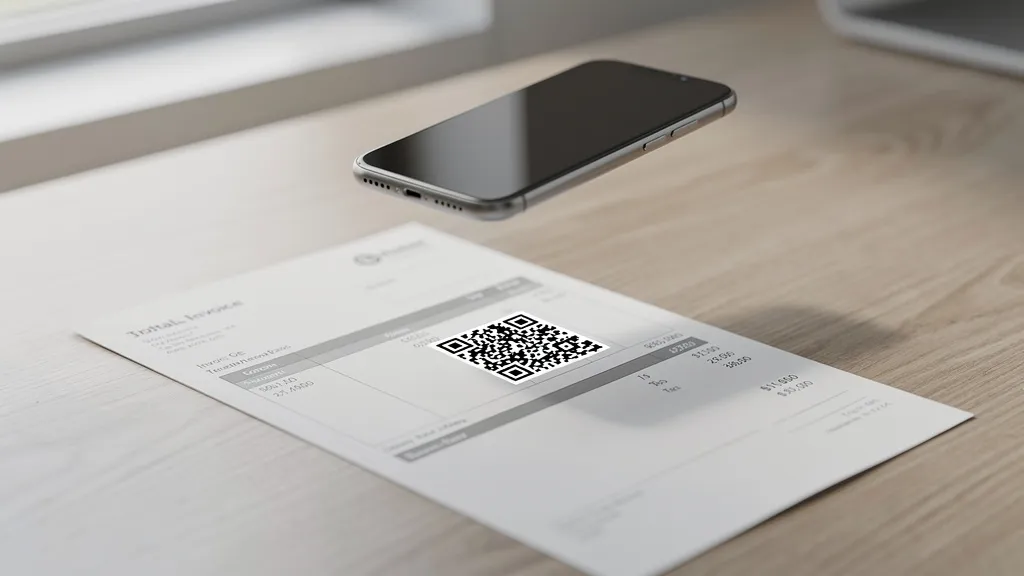
Adding a QR code to your invoices lets clients pay with a single scan instead of manually typing payment links or bank details. Quality QR makes it easy to create invoice QR codes that link to your payment page, track whether clients have scanned them, and update the destination if you change payment providers.
Why Add QR Codes to Invoices?
Manual payment processes create friction that delays when you get paid:
- Clients have to open their laptop, find the email, copy the payment link, and navigate to it
- Bank transfer details get mistyped, causing failed or misdirected payments
- Paper invoices require clients to manually enter a URL
- Payment reminders feel pushy, but a QR code is a passive nudge
A QR code removes all of this friction. The client points their phone camera at the invoice and lands directly on your payment page. Studies show that reducing payment steps significantly decreases average days to payment.
What Your Invoice QR Code Should Link To
Choose the destination that matches how your clients pay:
Payment Page Links
- Stripe payment link: Create a payment link in your Stripe dashboard and use it as the QR destination
- PayPal.me: Use your
paypal.me/yourname/amountURL for quick PayPal payments - Square invoices: Link to the Square-hosted invoice payment page
- Wise or bank transfer page: Link to a page with your bank details and a reference number
Invoice Portal
If you use invoicing software (FreshBooks, Xero, QuickBooks), link to the client-facing invoice page where they can review and pay directly.
Custom Landing Page
Create a simple page with multiple payment options: credit card, bank transfer, PayPal. This gives clients flexibility and you get paid faster.
How to Create an Invoice QR Code with Quality QR
Follow these steps to add a QR code to your next invoice:
Step 1: Go to Quality QR and create a free account. No credit card required.
Step 2: Click "Create QR Code" and select the URL type.
Step 3: Paste your payment link (Stripe, PayPal, invoice portal, or custom page).
Step 4: Choose "Dynamic" so you can change the payment link later without updating your invoice template. This is important if you switch payment providers or need to create client-specific payment pages.
Step 5: Customize the QR code design. For invoices, a clean black-and-white code looks most professional. Add a subtle brand color if you want.
Step 6: Download as PNG and insert into your invoice template.
Placement tip: Put the QR code near the payment terms or total amount, with a short label: "Scan to pay" or "Pay this invoice instantly."
Free Invoice QR Codes vs Paid: What Reddit Gets Wrong
Reddit threads about invoice generators often mix up two different things: the invoice template tool and the QR code on the invoice. Many free invoice generators include basic, static QR codes that cannot be tracked or updated.
With Quality QR, you create the QR code separately and add it to any invoice template you already use. This gives you:
- Tracking: See when (and if) clients scan the code
- Flexibility: Change the payment link without updating your template
- Reliability: Quality QR codes never expire, so old invoices still work
- No watermarks: Clean, professional codes on every plan
Can You Trust Free Invoice Generator Tools from Reddit?
Reddit recommends several free invoice tools, and most are legitimate for creating invoice PDFs. However, the QR code features built into these tools are usually basic static codes with no analytics.
A better approach: use your preferred invoice tool for the template and add a Quality QR dynamic code for the payment link. This way you get the best of both: a good-looking invoice and a trackable, editable payment QR code.
Quality QR's free tier is enough for this use case. One dynamic code that you reuse across invoices (updating the payment link per client if needed) costs nothing and gives you scan tracking.
Dynamic vs Static QR Codes for Invoices
Use a static code if:
- You always link to the same payment page
- You do not need to track whether clients scanned
- The payment link will never change
Use a dynamic code from Quality QR if:
- You want to know when clients view the invoice (scan tracking)
- You might change payment providers or links
- You send invoices to different clients with different payment pages
- You want to A/B test different payment flows
For most freelancers and businesses, a dynamic code is worth it because the tracking alone tells you whether to follow up on unpaid invoices.
Tracking Invoice Payment QR Code Scans
Quality QR's analytics dashboard shows you valuable payment behavior data:
- Scan time: See when clients scan the code. If they scan but do not pay immediately, the issue is on the payment page, not the invoice.
- Scan count: Multiple scans from the same client might mean they had trouble completing payment.
- No scans: If an invoice goes unscanned for a week, it is time for a friendly reminder.
This data turns your QR code into a payment follow-up tool, not just a convenience feature.
Best Practices for Invoice QR Codes
- Size: At least 1 inch on the printed invoice. On digital PDFs, make it large enough to scan from a phone screen.
- Placement: Near the total amount or payment terms section. Label it clearly: "Scan to pay."
- Contrast: Dark code on white background for maximum scannability. Avoid placing the code over colored sections.
- Test: Scan the code on the final invoice (printed or PDF) before sending to clients.
- One code per invoice: Do not reuse the same QR code across different clients if you want per-client tracking.