To create a QR code for TikTok: copy your profile URL (tiktok.com/@username) or video link, paste it into a QR code generator like Quality QR, customize the design, and download. TikTok has a built-in QR feature (TikCode), but custom QR codes offer better design flexibility and tracking capabilities.
TikTok QR Code Options
Option 1: TikTok's Built-In TikCode
TikTok provides a built-in QR code (TikCode) for every profile:
- Open TikTok app
- Go to your profile
- Tap the three lines (menu) in top right
- Tap "QR code" or "TikCode"
Pros: Built into the app, branded with TikTok styling.
Cons: Can't customize colors, no analytics, only works for profiles (not individual videos), requires scanning within TikTok app.
Option 2: Custom QR Code (Recommended)
Create a QR code linking to your TikTok URL using a generator like Quality QR:
- Copy your TikTok profile URL or video link
- Paste into Quality QR's URL generator
- Customize colors and design
- Add your logo if desired
- Download and deploy
Pros: Full design customization, track scan analytics, works with any QR scanner, can link to specific videos.
Cons: Doesn't have TikTok branding (but you can add the TikTok logo).
What You Can Link To
Your TikTok Profile
URL format: https://www.tiktok.com/@yourusername
Best for: General promotion, building followers, print materials where you want people to discover your content.
A Specific Video
URL format: https://www.tiktok.com/@yourusername/video/[video_id]
Best for: Promoting a viral video, tutorials referenced in print materials, campaign-specific content.
A TikTok Search
URL format: https://www.tiktok.com/search?q=yourbrand
Best for: User-generated content campaigns, branded hashtag promotion.
Use Cases for TikTok QR Codes
Creators and Influencers
- Business cards with profile QR code
- Merchandise with link to shop videos
- Event materials for meetups
- Collaboration pitch decks
Businesses
- In-store signage: "Follow us on TikTok"
- Product packaging with tutorial videos
- Event booths linking to branded content
- Print ads driving to campaign videos
Restaurants and Retail
- Table tents linking to TikTok recipes
- Store displays featuring product demos
- Behind-the-scenes content links
Design Tips for TikTok QR Codes
Match TikTok's Vibe
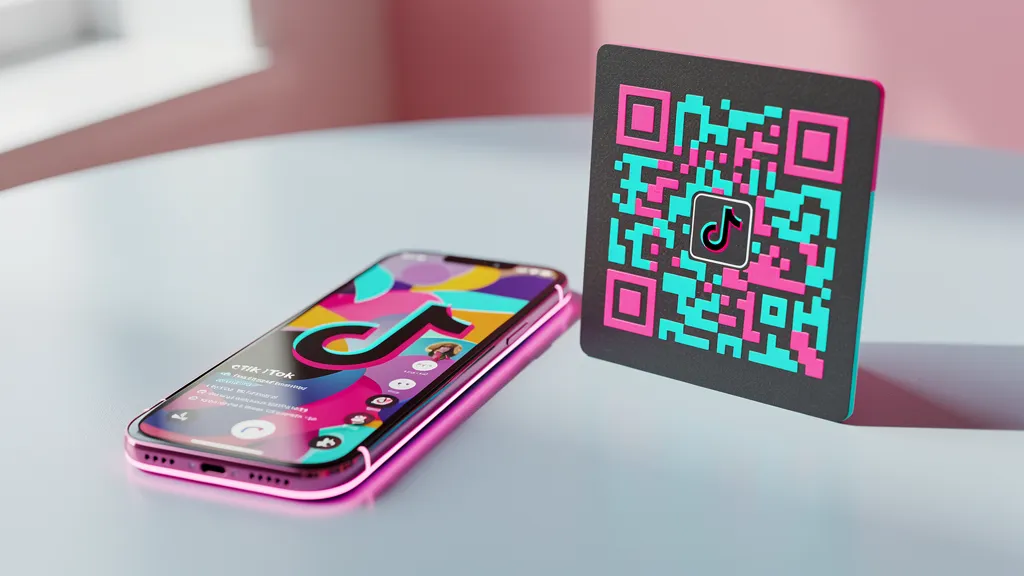
TikTok's brand colors are black, white, and teal (#69C9D0) with pink accent (#EE1D52). Using these colors makes your QR code instantly recognizable as TikTok-related.
Add the TikTok Logo
Include the TikTok logo in the center of your QR code for immediate recognition. Keep the logo under 30% of the code area.
Keep It Scannable
Trendy doesn't mean unreadable. Maintain high contrast and adequate size. Test before printing.
Tracking Your TikTok QR Results
With Quality QR analytics, you can:
- See how many people scanned your code
- Track which placements perform best
- Measure offline-to-online conversion
- Compare different campaigns
Combine this with TikTok's built-in analytics to see the full picture from scan to follow.
Create your TikTok QR code free with Quality QR: custom design plus scan tracking.