

Searching for "free QR code generator no sign up" usually means one thing: you need a QR code right now and don't want the hassle of creating yet another account. Fair enough. But here's what you should know before you use one.
The Catch with No-Signup QR Generators
No-signup generators are convenient, but they come with significant trade-offs that most people don't discover until it's too late:
What you get:
- A QR code in seconds, no email required
- Basic static QR code generation
- Usually supports URL, text, and WiFi types
- Quick download in PNG format
What you give up:
- No edit after creation: if the URL changes, you reprint everything
- No scan tracking: you'll never know if anyone actually scanned it
- No dashboard: lose the file and you lose the code
- No custom branding: often limited colors and no logo upload
- Possible watermarks: some add branding you can't remove
- No support: if something goes wrong, you're on your own
The biggest risk? Creating QR codes for business materials (menus, flyers, signage) without the ability to update or track them. When your URL changes (and it will), every printed code becomes useless.
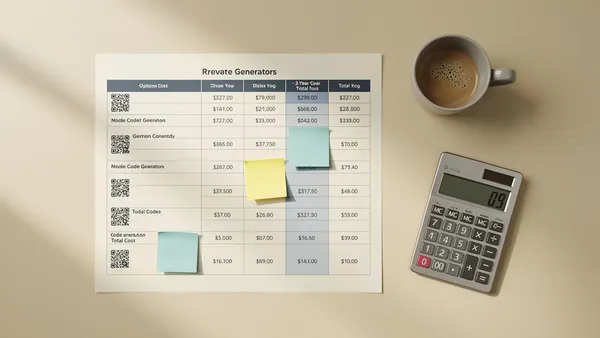
Comparison: No-Signup vs. Free Account Generators (2026)
| Feature | No-signup generators | Free account (Quality QR) |
|---|---|---|
| Static QR codes | Unlimited | 5 |
| Dynamic QR codes | None | 1 |
| Edit URL after creation | No | Yes |
| Scan analytics | No | Yes |
| Custom colors | Limited | Full |
| Logo upload | No | Yes (paid) |
| QR code dashboard | No | Yes |
| Export formats | PNG only | PNG, SVG |
| Codes expire | Never (static) | Never |
| Account required | No | Yes (email only) |
Popular No-Signup Generators and Their Limits
QR Code Monkey
The most popular no-signup option. Unlimited free static codes with decent customization (colors, logo, shapes). No dynamic codes, no analytics, no dashboard. Great for one-off static codes when you'll never need to track or edit them; if you later need a code you can edit and track, see what to use instead of QR Code Monkey.
QR Code Generator (qr-code-generator.com)
Makes a static code without an account, but only as a JPG download: its homepage says PNG, SVG and EPS files need a sign up, and adding a logo needs its paid PRO version. The static codes are free and never expire, but they cannot be edited or tracked. Editing and scan statistics come with QR Code Generator PRO, which starts with a 14 day free trial on a free account and then costs from $9.99/month billed annually ($119.88 a year) for 2 dynamic codes and 10,000 scans on its Starter plan; Advanced is $18.99/month billed annually for 50 dynamic codes. Its pricing FAQ says cancelling takes an email at least 30 days before the end of the billing cycle (checked 26.10.2026).
QRCode.io
Not a no-signup option after all: its homepage says downloading a free code needs a free account, made with an email or Google and no credit card. Once you have one, the free plan is generous for static codes: unlimited codes across 17 static types, with a logo, colors, shapes and high resolution PNG and SVG files. Static codes cannot be edited or tracked, and dynamic codes start on its paid plans, from Lite at $3.99/month for 10 dynamic codes and 2,000 scans, after a 15 day free trial (checked 27.10.2026).
Canva
Requires a Canva account (free), but not a QR-specific account. Generates QR codes within the design tool, and has added dynamic codes whose destination can be changed, but Canva's help center lists editable links and scan insights only for its Business, Enterprise and Nonprofit plans (Canva Pro is US$144 a year). If you want tracking without a design subscription, our guide to moving your QR codes from Canva shows what a free account adds.
If signing up turns out to be fine, our roundup of the best QR code generators of 2026 weighs these tools and Quality QR, Bitly, Beaconstac and Adobe Express on free tier, tracking and price.
When No-Signup Is Fine
Use a no-signup generator when:
- You need a one-time QR code for personal use
- The destination URL will never change
- You don't need to track how many people scan it
- You're making a single code, not managing multiple
- It's for a temporary or disposable material
When You Should Create an Account
Create a free account (takes 30 seconds) when:
- The QR code will be printed on materials you can't easily reprint
- You might need to change the destination URL later
- You want to know if people are actually scanning your code
- You're creating multiple codes and need to organize them
- It's for business, marketing, or professional use
- You need the code to look professional with custom branding
The 30-Second Sign-Up That Saves Hours Later
Here's the math: signing up for a free account takes about 30 seconds. Reprinting 500 flyers because you can't update a static QR code takes hours and costs hundreds of dollars.
Quality QR's free tier gives you:
- 1 dynamic QR code: edit the destination URL anytime without reprinting
- 5 static QR codes: for permanent links that won't change
- Scan analytics: know who's scanning, when, and where
- Custom colors: match your brand, no watermarks
- Dashboard: manage all your codes in one place
- No expiration: your codes work forever, even on the free plan
All you need is an email address. No credit card, no trial period, no gotchas.
Quality QR Static Codes: No Account Needed
For truly simple use cases, Quality QR lets you generate static codes from the QR code generator page. But for dynamic codes, analytics, and the management dashboard, a free account unlocks everything you need.
The bottom line: if you're printing the QR code, create a free account. The 30 seconds you spend now can save you from reprinting everything later.
Start free at Quality QR: one email, one click, and your QR codes are protected.
Sources
- QR Code Generator homepage (checked 26.10.2026)
- QR Code Generator plans and pricing (checked 26.10.2026)
- QR Code Monkey (checked 24.10.2026)
- QRCode.io (checked 27.10.2026)
- QRCode.io pricing (checked 27.10.2026)
- Canva Help Center: Create and manage dynamic QR codes (checked 23.10.2026)